
Starter
$10 a month
For one station getting on air.
- 1 station
- 10 GB of audio
- 500 listeners at once
- 20,000 listener hours a month
- 3 team members
Internet radio for independent stations · Private beta
Plan the week, keep music playing around the clock and go live from your browser or your own studio. We look after the streaming.
No card needed. We reply within two business days.
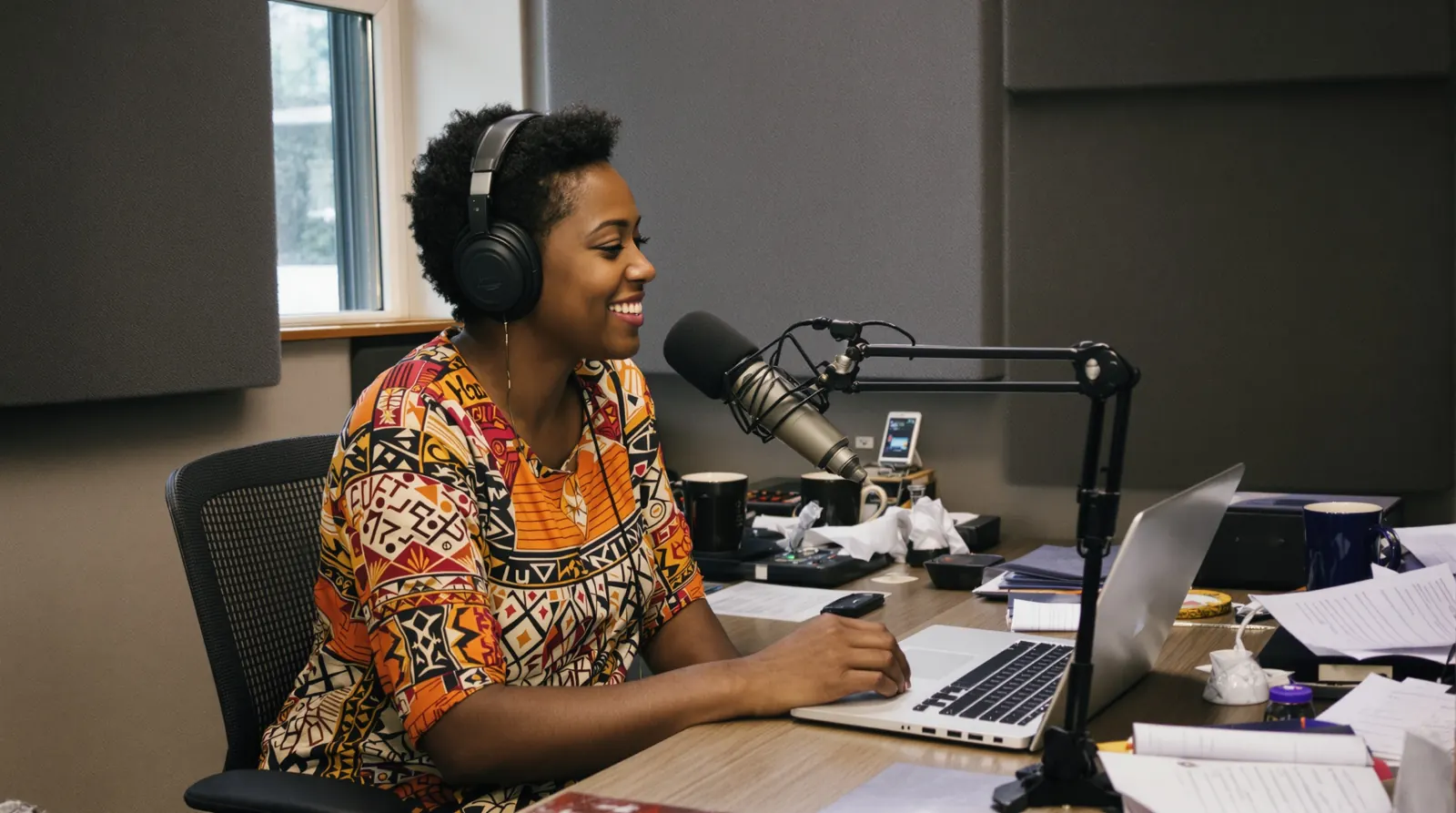
Its schedule, music and listener delivery all run on SGNL. Press play to hear it now.
Services and talks on the schedule every week.
Presenters with their own sign-in and booked slots.
On air from home, heard back home.
Go live from the ground with a laptop.

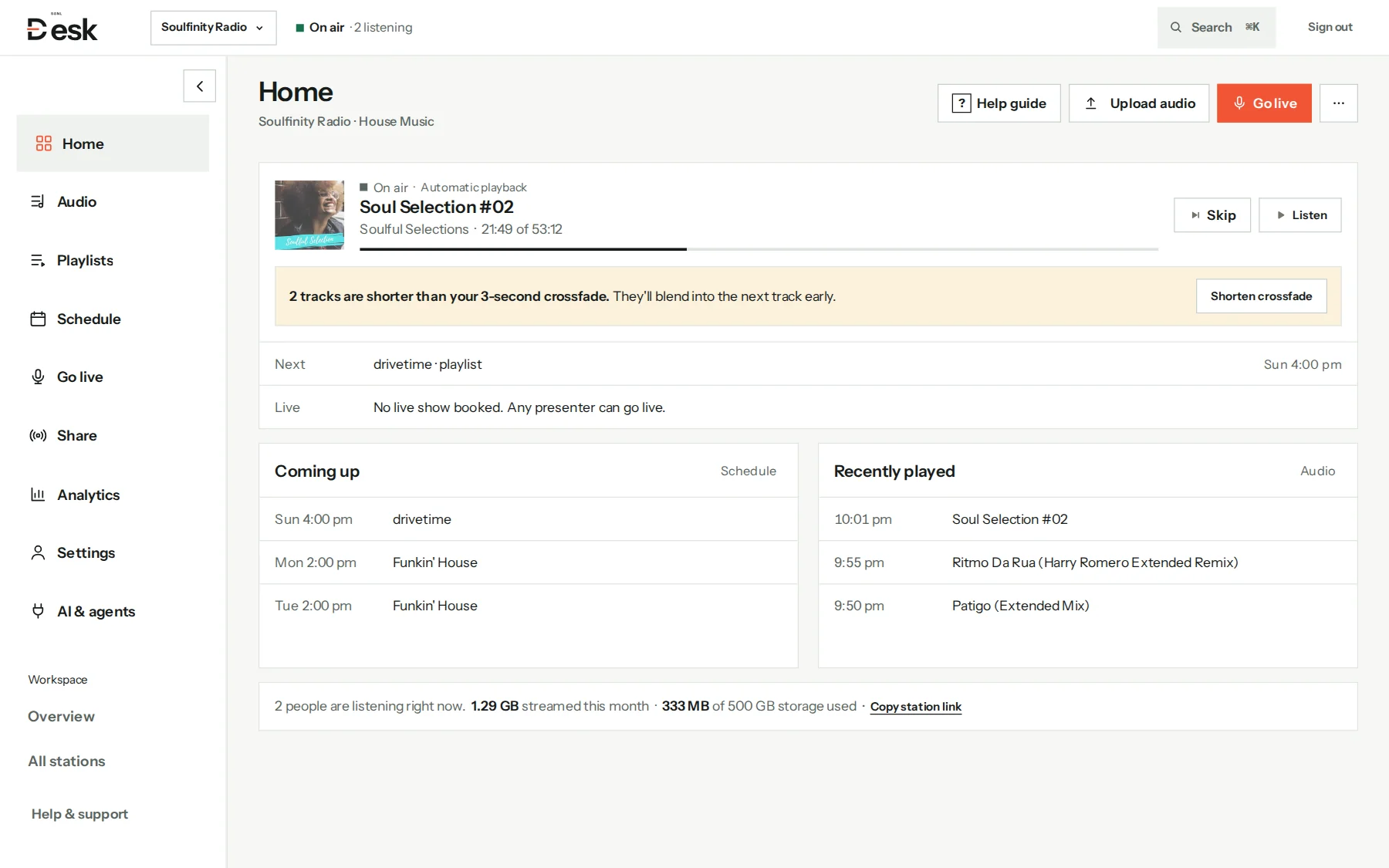
Music and automation
Upload your library, build playlists and let SGNL play them in order. Your computer doesn’t need to stay on.

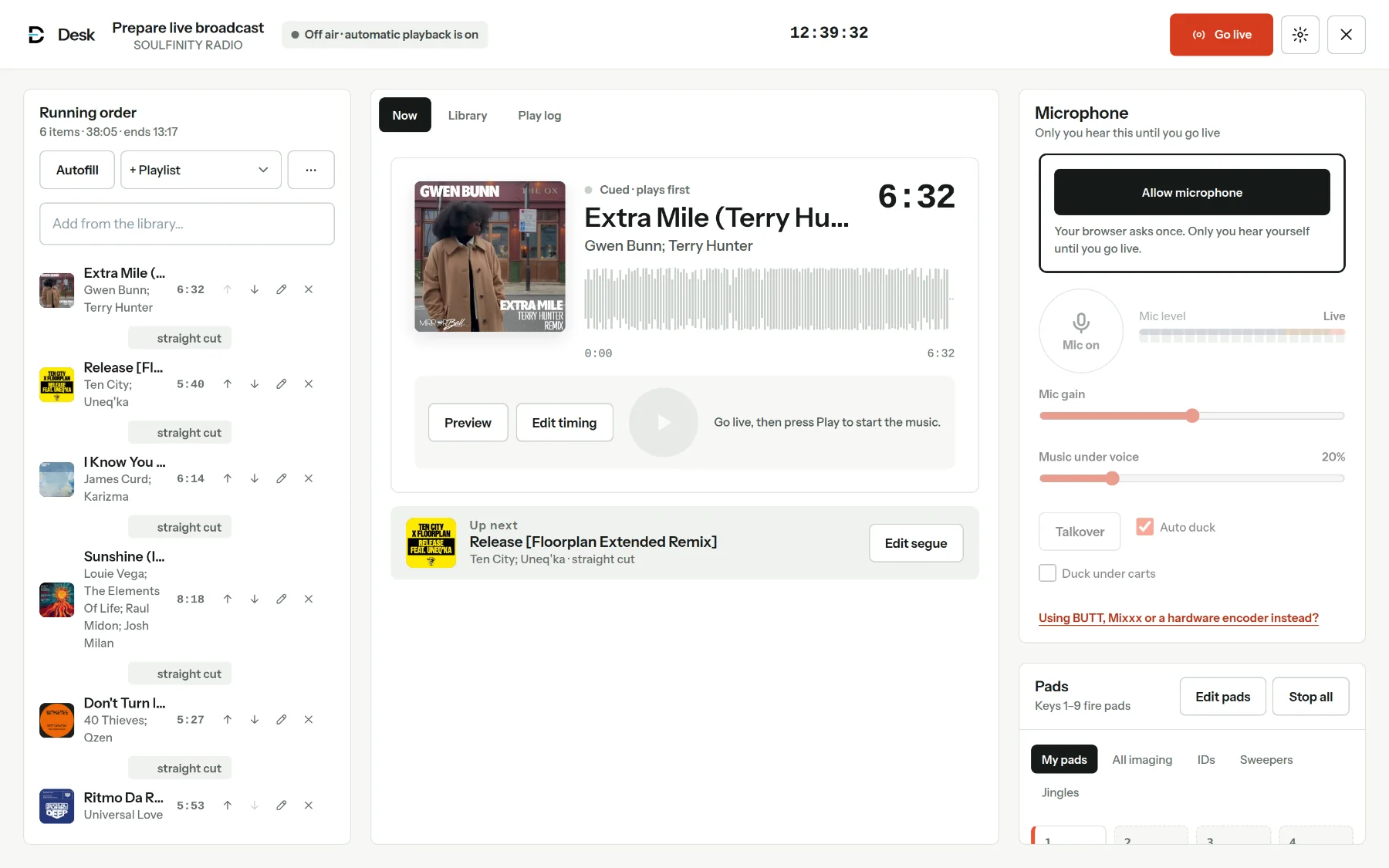
Go live
Listeners switch to you the moment you go live, and automatic playback comes back when you finish.
Open Live Studio for a running order, pads and your mic, with nothing to install. Build the running order from your library, a playlist or Autofill.
Connect BUTT, Mixxx, OBS or a hardware encoder. Presenters get their own sign-in and booked slots.

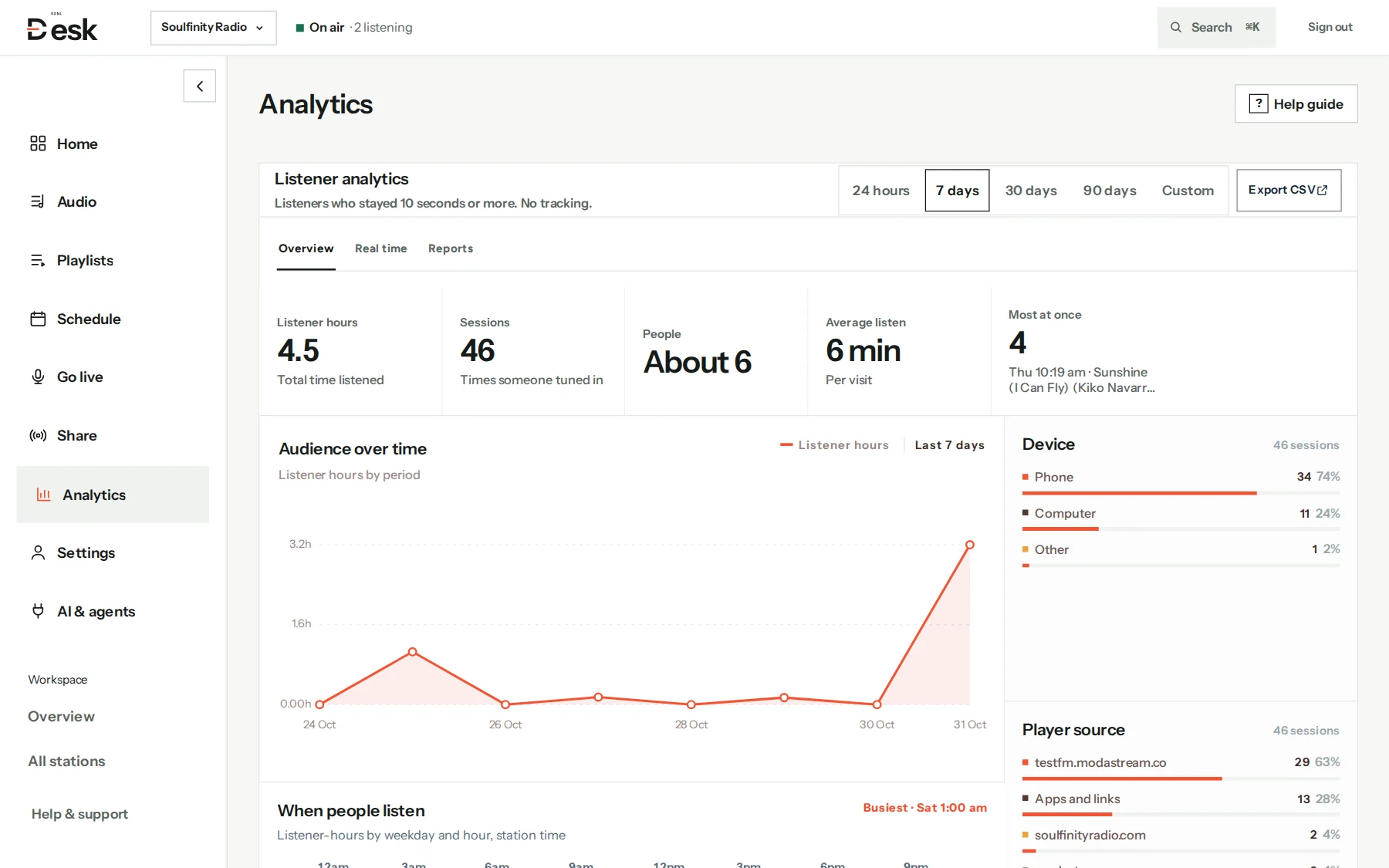
Listeners
Listener hours, sessions, peaks and when people tune in, counted from the stream itself. No cookies and no personal data.
AI and agents
Connect an assistant in two steps and ask in plain words: build a rotation, fill the schedule, explain a drop in listeners.
Fill the gaps in next week’s schedule with soul and house, and leave them as drafts.
I found six empty slots next week. I’ve added Morning Soul to the weekday 6 am gaps and a house mix on Friday night, all saved as drafts for you to publish.
Everything a small station needs day to day, in one place.
Shows keep their colours, and you can check the week before it airs.
Owners, managers, programmers and presenters, each with the right access.
Run up to three stations on Growth and switch between them in one click.
Re-broadcast another station or a live feed in a slot on your schedule.
Edit titles, artwork and ISRCs, and find untagged or duplicate tracks.
Protect owner accounts and see every device that is signed in.
Everything above is included on every plan. Pick the size that fits.
$10 a month
For one station getting on air.
$20 a month
For small teams with up to three stations.
Let’s talk
For networks and bigger audiences.
Private beta: live billing is not enabled yet, so no card is taken. You’ll see prices again before anything is charged.
Something else? support@sgnldesk.co
No. SGNL runs the stream, the automatic playback and the listener links. You manage the station from your browser.
No. Your music and schedule play from SGNL around the clock, even when you are offline. A presenter only needs their computer while they are live.
Yes. Live Studio runs in Chrome, Edge or Safari on a computer. You can also use BUTT, Mixxx, OBS or a hardware encoder, and automatic playback comes back when you finish.
No. You remain responsible for the licences where you broadcast. Country rules help you keep listening inside the territories your licences cover.
Yes. Upload your library, recreate your playlists and point listeners to the new links. We help Network stations plan the move.
Tell us about your station
We’re bringing independent stations on a few at a time. Tell us where you are and we’ll reply within two business days.